
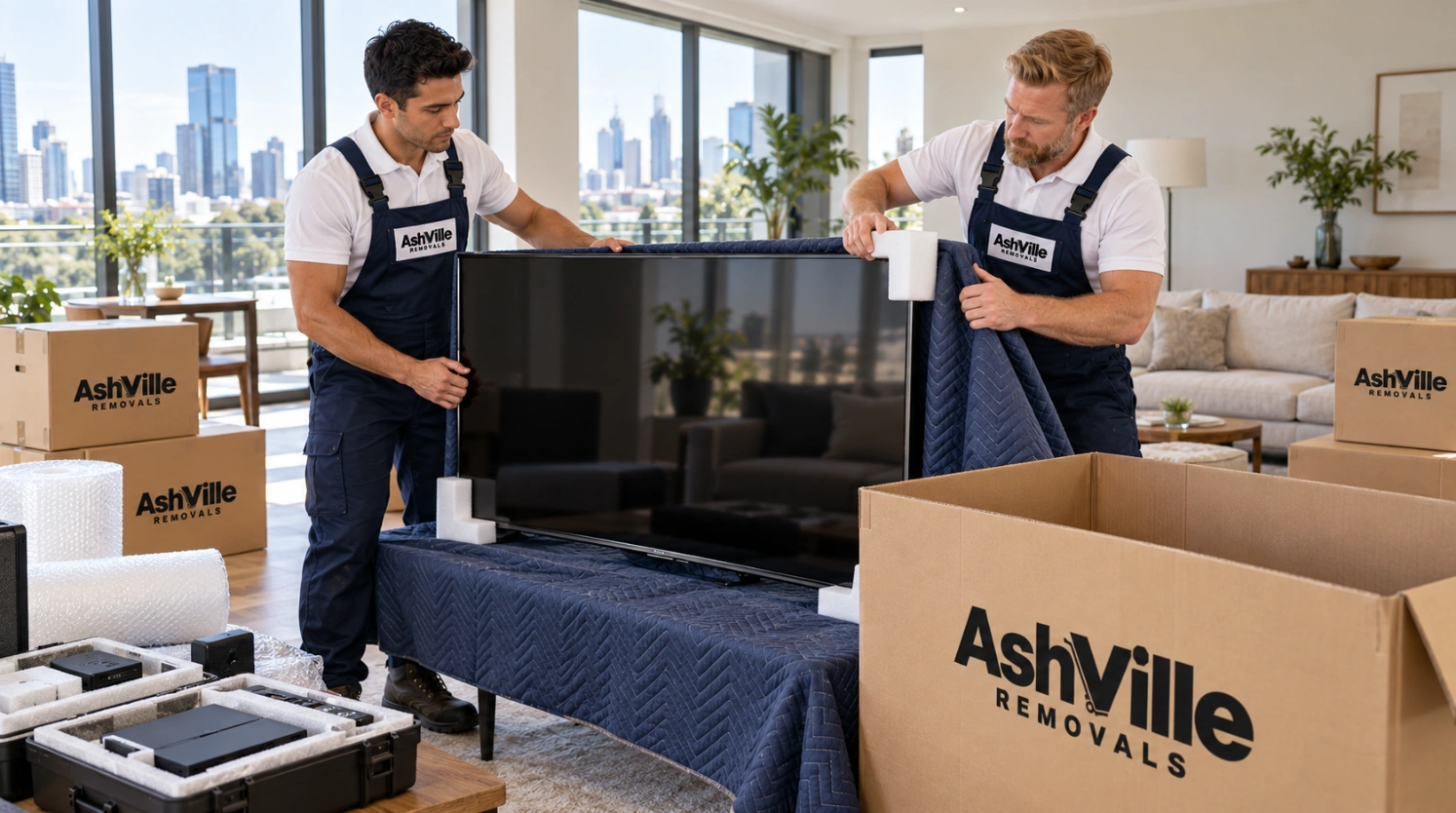
Of everything that gets damaged in a house move, televisions are near the top of the list—and it’s rarely because someone dropped one. Modern flat panels almost always fail for a quieter reason: the screen was allowed to flex.
An OLED or LED panel is a rigid sheet of glass and layered film. It’s strong at the edges and unsupported in the middle. Lay it flat, put any weight or vibration on it, and the center bows a fraction of a millimeter. That’s enough. The TV comes off the truck looking perfect, you plug it in at the new place, and there’s a spiderweb of lines across the picture that wasn’t there before.
The good news is that packing a TV properly takes about fifteen minutes and costs almost nothing. Here’s how to do it.
Should a TV Be Transported Flat or Upright?
Upright. Always. A flat-screen TV should be transported standing on its edge, in the same vertical orientation it sits in when mounted or on a stand—never lying face-up or face-down.
This is the single most important rule in this guide, and it’s the one most often broken, usually because laying a TV flat in the back of a car or on top of a stack of boxes looks like the safer option.
It isn’t. Here’s why:
No center support. The panel is only rigid where the frame holds it. Flat, the middle is unsupported, and any vertical load—even a light blanket, even road vibration—creates flex across the largest unsupported span.
Vibration travels differently. Standing upright, road vibration runs along the panel’s strongest axis. Lying flat, it runs perpendicular to it, working against the layer bonding.
Anything can end up on top. In a loaded truck, a flat TV is a shelf. Someone will use it as one.
Manufacturers ship them upright. Look at any original TV carton—the graphics, the foam inserts, and the orientation arrows all assume vertical. The company that built it has already answered this question.
The same applies to computer monitors, and for plasma and older LCD panels the rule is even stricter.
How to Pack a TV for Moving: Step by Step
- Photograph the cable layout. Before you unplug anything, take a photo of the back of the TV and of the whole entertainment unit. HDMI ports are not interchangeable in practice — soundbar ARC, gaming console, set-top box — and this photo saves you twenty minutes of guesswork later.
- Label and bag the cables. Masking tape flags on each cable, written in pen. Then all cables and the remote are put into one labelled zip bag, taped to the back of the TV, or packed in the same carton. Never loose in a box of miscellaneous items.
- Remove the stand or wall bracket. Unscrew the feet or base and bag the screws separately—TV mounting screws are a specific thread and length, and hardware stores will not have your exact match. Tape the bag to the stand itself.
- Clean the screen while it’s dry and unplugged. Dust trapped between the screen and the wrapping becomes an abrasive under vibration. A dry microfibre cloth only — no household cleaners, no paper towel.
- Cover the screen first with something soft. A clean microfibre cloth, a cotton sheet, or the original screen film. Never let bubble wrap or plastic touch the panel directly — trapped heat and pressure can leave marks on the anti-glare coating, and Melbourne summers get hot enough in a stationary truck for it to matter.
- Then bubble wrap the whole unit. Two full layers, bubbles facing outward, with extra padding on all four corners. Corners take almost every impact.
- Box it. Into the original carton if you have it, or a flat-panel TV moving box if you don’t. Fill every void with packing paper or foam so the TV can’t shift.
- Mark it clearly. Write “FRAGILE — SCREEN — THIS WAY UP” with a large arrow on both sides. Removalists load hundreds of boxes a day and load by what the label says.
How Do You Transport a TV Without the Box?
Most people no longer have the original carton. That’s fine—there are three solid alternatives.
A purpose-made TV moving box. Adjustable, double-walled cartons sized from around 32″ to 85″ are widely available from storage and packaging suppliers and typically cost $25–$60. They’re the closest substitute to the original, and worth it for anything over 55″.
A picture and mirror carton. These flat, telescoping cartons are designed for exactly this shape and are usually cheaper than a dedicated TV box. Pad the inside well. Ashville Removals carries picture-frame cartons as standard and can bring them with your free packing boxes.
Moving blankets and straps. The professional method is genuinely effective when done properly. Cover the screen with a soft cloth, wrap the entire TV in two or three moving blankets, secure with rubber straps or stretch wrap around the blankets—never tape directly onto the TV—and load it upright between two mattresses or against a padded truck wall.
Whichever method you use, the loading rules are the same: upright, secured so it cannot tip, against a flat padded surface, with nothing stacked on or leaning against it. Our furniture removalists carry blankets, straps, and flat-panel cartons on every truck.
Packing Electronics for Moving: Everything Else
Televisions get the attention, but a modern home has thousands of dollars of other electronics that also need thinking about.
Computers and laptops. Back up your data before moving day—this is non-negotiable, and it takes an hour you’ll be glad you spent. Desktop towers travel upright in a well-padded box. Laptops, tablets, and external drives should stay with you personally, not on the truck.
Game consoles. Remove all discs and cartridges. Original box if you have it, otherwise a well-padded medium carton. Controllers and cables were bagged and labelled together.
Sound systems and speakers. Detach speaker grilles if removable. Wrap each speaker individually—cabinets scratch easily, and drivers are damaged by point pressure. Turntables need the platter and counterweight removed and the tonearm locked down.
Printers. Remove ink and toner cartridges and bag them separately. Cartridges left in place leak, and printer ink does not come out of upholstery.
Kitchen appliances. Empty, dry, and defrost 24 hours ahead. Tape doors closed with painter’s tape rather than packing tape, which strips paint and leaves adhesive on stainless steel.
Anything with a lithium battery. Power banks, e-bike batteries, cordless tools, and scooters. Tell your removalist in advance—some carriers have specific handling requirements, and a damaged lithium cell in a loaded truck is a serious problem.
Everything with a fan or vent. Cover openings with tape or cloth. Dust and debris in a truck will find its way into a computer or amplifier.
The Mistakes That Cost People Money
Laying it flat “just for a short trip.” Damage isn’t proportional to distance. A ten-minute run across Brunswick can crack a panel as easily as a Melbourne-to-Sydney interstate move.
Bubble wrap directly against the screen. Leaves permanent impressions in anti-glare coatings.
Tape on the TV body. Packing tape adhesive bonds to plastic bezels and pulls the finish off when removed.
Loose cables in a general box. You’ll find them in a box marked “miscellaneous” three weeks later.
Stacking on top of a boxed TV. A TV in a carton still isn’t a shelf. The carton is not load-bearing.
Plugging in immediately at the new address. If your TV has come in from a cold truck into a warm room—a common scenario in a Melbourne winter—let it sit for two to three hours before powering on. Condensation inside the housing and live electronics don’t mix.
Skipping the pre-move photo. Photograph each item’s condition before wrapping. It’s your record if you need it.
When to Hand It Over to the Professionals
Some setups are genuinely worth paying someone else to handle. Wall-mounted TVs above 65″ are awkward and heavy enough to need two people just to get off the bracket. Home theater installations with in-ceiling speakers, projectors, and rack-mounted AV gear need documenting before disassembly. And commercial setups—conference room displays, digital signage, server-connected screens—are best handled by a crew that does it routinely, which is what our IT and office equipment movers do on commercial relocations across Melbourne.
Either way, all electronics moved by Ashville Removals are covered by our standard goods-in-transit insurance. Tell us at the quote stage what you’re moving so the right materials come on the truck.
Frequently Asked Questions
How do you transport a TV without the box? Use a purpose-made flat-panel TV moving box (around $25–$60), a picture and mirror carton, or wrap the TV in two to three moving blankets secured with straps or stretch wrap. Always cover the screen with a soft cloth first, and always transport it upright, secured against a padded flat surface so it cannot tip or have anything stacked against it.
Should a TV be transported flat or upright? Upright, always. Flat panel screens have no support through the center, so lying them flat allows the panel to flex under weight and road vibration—the most common cause of cracked screens during a move. Manufacturers ship every TV vertically for exactly this reason.
Can you lay a TV down in a car for a short trip? It’s not recommended, even for a few minutes. Screen damage is caused by flex and vibration, not distance. Fold a seat down, stand the TV upright against the seat back, and pad it so it can’t slide.
Is my TV covered by removalist insurance? Ashville Removals includes full goods-in-transit insurance on every move, covering accidental damage during handling and transport. Coverage works best when items are properly packed, so tell us about high-value electronics at the quote stage—see our pricing page for what’s included as standard.
How much does it cost to have removalists pack electronics? Professional packing is charged as crew time on your hourly booking. Most households only need it for a handful of high-value items rather than everything. Our ultimate packing guide covers what’s worth doing yourself and what isn’t.
Moving High-Value Electronics in Melbourne?
Tell us what you’re moving, and we’ll bring the right cartons, blankets, and straps on the truck. Written, itemized quote back within two hours.
Get your free quote or call 0404 382 743. Trusted local removalists across 35+ Melbourne suburbs.